
Please Rotate Your Device
This application requires landscape orientation.
Dispatch
Version 1.0.33Dispatch
Version 1.0.33Primary Call Data
Police Unit Dispatch & Status
Incident Interaction & Log
Awaiting transmission...
| Call ID | Type | Priority | Location | Unit(s) | Status |
|---|
Cam 1
Cam 2
Cam 3
Cam 4
Scroll down to view call ↓
Dispatch Center Standard Operating Procedures
Welcome to the Ponderosa Police Department. As Dispatcher 1, you are the critical link between the public and our officers. Familiarize yourself with the core systems below:
- CAD System (Computer-Aided Dispatch): This is your primary console. Follow this process for every incoming call:
- When the transmission arrives, Transmit your response to request the caller's details.
- Once the caller replies with their information, click AUTO-FILL CAD INFO.
- Manually select the appropriate Call Type and Priority.
- Select an available unit from the Assigned Unit dropdown. Always assign units from the bottom of the list moving up.
- Change the unit's status to Dispatched using the status toolbar.
- Fire & EMS: If a call requires Fire or EMS, click the Dispatch FD or Dispatch EMS buttons. The CAD AI Agent automatically selects appropriate fire units (FD-1 through FD-9, including equipment type like Engine, Ladder Truck, etc.) and EMS units (EMS-1 through EMS-9).
- Officer-Initiated Traffic Stops: Officers will occasionally report a traffic stop over the radio. The CAD system will automatically assign the unit and populate the location. You must acknowledge the transmission to run the vehicle's plates through TLETS, await the return, and transmit a final acknowledgment to clear the unit.
- Supported Call Types: Animal Complaint, Assault in Progress, Burglary in Progress, Domestic Dispute, EMS Call, Fire Call, General Emergency: Multi-Dept., Motor Vehicle Accident: PD, Motor Vehicle Accident: Multi-Dept., Other Crime in Progress, Prisoner Transport, Public Disturbance, Robbery in Progress, Suspicious Person, Take Caller Report, and Welfare Check.
- Pending Calls (On Hold): If multiple calls arrive, you can click Pending to place the active caller on hold and clear the CAD console to accept the next incoming transmission.
- Recalling & Editing Calls: Select a call from the Active Calls list to load it back into the CAD console. If the call was pending, the dialogue interface will restore to allow you to finish transmitting. You can edit any CAD fields (location, priority, type) and click Update Call to save your changes to the system.
- Active Calls & Status Updates: Dispatched officers automatically update their status via radio (En Route, On Scene, Clear).
- Request Cam: Click "Request Cam" on the sidebar while a call is active in the CAD to pull a live still frame from the unit's dashcam/bodycam.
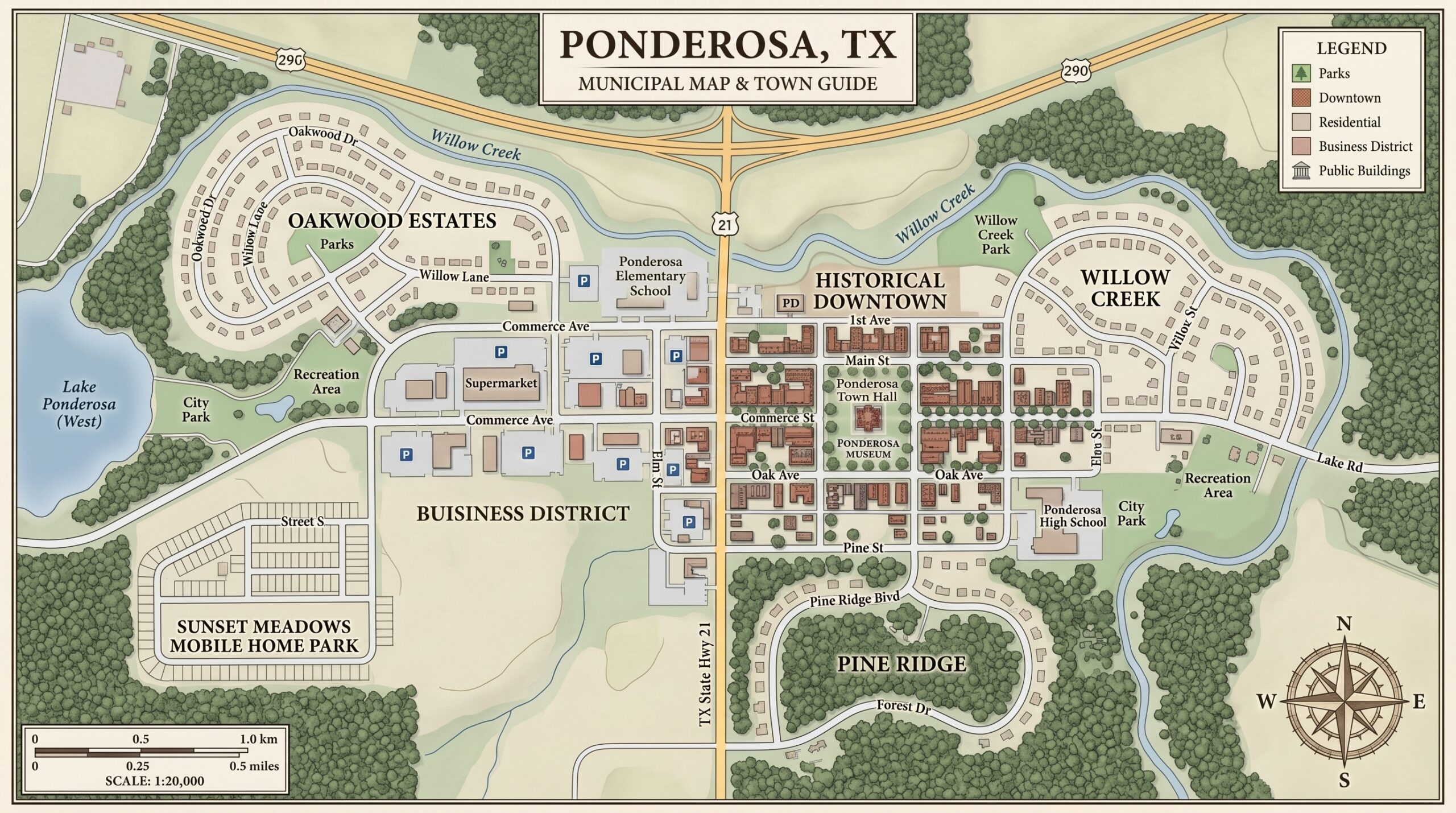
- Jurisdiction Map: Used to visualize active call locations and track dispatched units across Ponderosa city limits.
- CCTV MUX: A live multiplexer allowing you to monitor four camera feeds simultaneously. Click any quadrant to change its assigned feed.
Personnel
On-Scene Camera Feed
Establishing secure connection to unit... Please wait.
